How to Train Your Marketing Team in SEO
The short answer
Teach a marketing team SEO by giving each role only what it needs, using your own website as the classroom. Start with how Google finds and ranks pages, practice in Google Search Console on real pages, add a review step before anything goes live, and have someone senior check the work each month.
Key takeaways
- Train by role: writers, developers and managers each need a different part of SEO.
- Google publishes free material for each role, including a starter guide for site owners and a separate guide for developers.
- Use your own pages for practice, so every exercise improves the website.
- A review before publishing is the main teaching tool, because it catches mistakes while they are cheap to fix.
- Judge the training over a quarter. Google says some changes take several months to show.
In this guide
This guide is for owners and marketing leaders who want their own people to do SEO well, without sending everyone on a course. It covers what each role needs to learn, how to train your team in SEO step by step, the free Google material to use and how to tell whether it worked. If you want someone senior to run it, Taskcover offers SEO training for in-house teams.
What does each person on the team need to learn?
Each role needs a different slice of SEO, and nobody needs all of it. Writers need to match a page to what the searcher wants. Developers need to know how Google reads a page. Managers need to read the numbers and know the rules.
| Role | What they need to know | Google's free material | First practice task |
|---|---|---|---|
| Everyone | How Google finds pages, stores them and chooses what to show | In-depth guide to how Google Search works | Explain, in their own words, why a page might not appear in Google |
| Writers and content marketers | What makes a page helpful, how to write titles and descriptions, and where to use customers' words | SEO Starter Guide and Creating helpful, reliable, people-first content | Rewrite the title and description of three existing pages |
| Developers | How Google sees a page, why every page needs a link Google can follow, and the limits of JavaScript | Get started with Search: a developer's guide | Run the URL Inspection tool on one page of each type |
| Marketing lead or owner | How to read clicks, impressions and position, and what Google's rules forbid | Performance report help and Spam policies for Google web search | Write a one-page monthly summary from Search Console |
How to train your team in SEO, step by step
Run the training on your own website over about a quarter: find the gaps, teach the shared basics, practice on real pages, then build review into the routine. Seven steps cover it.
An in-house SEO training plan for one quarter
- Find out what the team knows now
Ask each person to pick one page and explain how they would improve it and why. Read the last three pages the team published. You are looking for gaps in reasoning, not gaps in vocabulary.
- Agree what SEO is for in your business
Name the result you want from search: bookings, quote requests, trial sign-ups or orders. Then list the pages that produce it. Training that starts from these pages stays practical.
- Teach the shared basics in one session
Cover how Google crawls, indexes and serves pages, and two facts that clear away bad advice: Google does not accept payment to rank a site higher, and it does not guarantee that any page will be crawled, indexed or shown.
- Give everyone Search Console, and practice in it
Add each person as a user and have them find the searches that lead to their own pages. The Performance report shows clicks, impressions, click-through rate and average position, grouped by search, page, country or device.
- Train each role on its own part
Use the table above. Keep sessions short, and end each one with a task on a live page that is due before the next session.
- Add a review before anything is published
Have a senior person read each new page outline and each planned site change before work starts. In our view this is where most of the learning happens, because the feedback lands on work the person cares about.
- Hold a monthly review
Once a month, look at what was done, what moved in Search Console and what comes next. Change the order of work in the open, so the team sees the reasoning.
Google's Search Console help says the tool is meant for more than specialists: business owners should be aware of it, marketers use it to monitor traffic, and developers use it to find and resolve markup issues such as errors in structured data.
What SEO skills do marketers need?
A marketer needs six working skills, and none of them requires code. If a team member can do these on a real page, the training has done its job.
Six SEO skills for marketers
- Find what customers search forTurn customer questions and Search Console data into a list of searches worth a page. See how to do keyword research.
- Read the need behind a searchTell whether the searcher wants to learn, compare or buy, and build the page to match. See what search intent is.
- Write titles and descriptionsGoogle's standard for a title is unique, clear, concise and accurate. For a description it is short, unique to the page and focused on its most relevant points.
- Judge a draft honestlyUse Google's own questions: does the page offer original information, and does it show first-hand expertise?
- Read the Performance reportKnow the difference between a click and an impression, and look at trends over months, not days.
- Know the rulesRecognize keyword stuffing, bought links and pages mass-produced to manipulate rankings as spam, and refuse them.
How do you learn SEO from free sources?
Start with Google's own documentation, because it describes the system from the company that runs it. The SEO Starter Guide covers the fundamentals for site owners. Google Search Essentials sets out the technical requirements, the spam policies and the key best practices. The developer's guide covers the technical side.
Free material has one limit: it cannot tell you what to do first on your website. It lists everything that can matter, and a team new to SEO tends to treat every item as equally urgent. Setting the order is the job of a senior reviewer, whether that person is on staff or brought in.
Should you run the training yourself or bring someone in?
Run it yourself if someone on staff has done SEO at a senior level and has time to review other people's work. Bring someone in if nobody does, because a team cannot review its own blind spots.
| Plan | What it covers | Price |
|---|---|---|
| SEO Mentor Team Enablement | Workshops, training and quality checks for a whole team. | From $2,500 a month |
| SEO Mentor Growth Advisory | Two sessions a month, with your roadmap and content plans reviewed. | From $1,500 a month |
| SEO Mentor Office Hours | One session a month, with questions answered in between. Three-month minimum. | From $1,000 a month |
These plans are advice, review and training. The work itself stays with your team. The pricing page has the full list. If you are still deciding between training your team and outsourcing, read in-house SEO vs agency vs mentor.
Related serviceTraining and review for your in-house team
Workshops for your writers, marketers and developers on technical SEO, content and AI search, with a senior SEO reviewing plans and pages each month.
See the serviceOur services for this
How do you know the training worked?
Look at behavior first and numbers second. Within a month or two the reviewer should be correcting less, and people should be able to say why a page is built the way it is. Search results follow more slowly.
- Fewer corrections at review, on the same kinds of work.
- Team members choose what to work on and can explain the choice.
- Pages are published and then revisited, not forgotten.
- Clicks and impressions for the pages the team worked on rise over the quarter.
Google's SEO Starter Guide says some changes take effect in a few hours and others can take several months. Judge a training plan over a quarter, not a few weeks.
Source2Google Search Central
Common questions about SEO training
How long does it take to train a team in SEO?
The shared basics fit into a few sessions. Judgment takes longer, because it comes from doing real work and having it reviewed. Plan for one quarter to build the routine, then keep the monthly review going.
Do we need a paid SEO course or a certificate?
No. Google's documentation is free and covers the fundamentals for owners, writers and developers. A paid course can add structure, but it teaches general cases and will not look at your website.
Should developers be trained in SEO too?
Yes. Google publishes a separate guide for developers that covers how Google sees a page, crawlable links and JavaScript. Developers do not need to learn keyword research, but they do decide whether Google can read your pages.
Does SEO training need to cover AI search?
Briefly, yes. Google says there are no additional requirements to appear in AI Overviews or AI Mode and that SEO best practices remain relevant, so the same foundations apply. Add one habit: check from time to time how AI assistants describe your business.
What if only one person does our SEO?
Then mentor that person instead of running team training. One session a month with a senior SEO, plus written answers between sessions, gives a lone marketer someone to check decisions with. Taskcover's SEO Mentor Office Hours plan works this way.
See what your team should work on first
Send us your website and tell us who works on it, and we will show you where you stand and what we would do first.
The authors
Who wrote and checked this guide

Written by
Jamiez Nguyen
Founder & CEO
Jamiez Nguyen founded Taskcover and leads strategy and client growth. He started it in 2017 as a team doing search work behind the scenes for other agencies, then opened it to businesses in the USA, Canada and Australia.
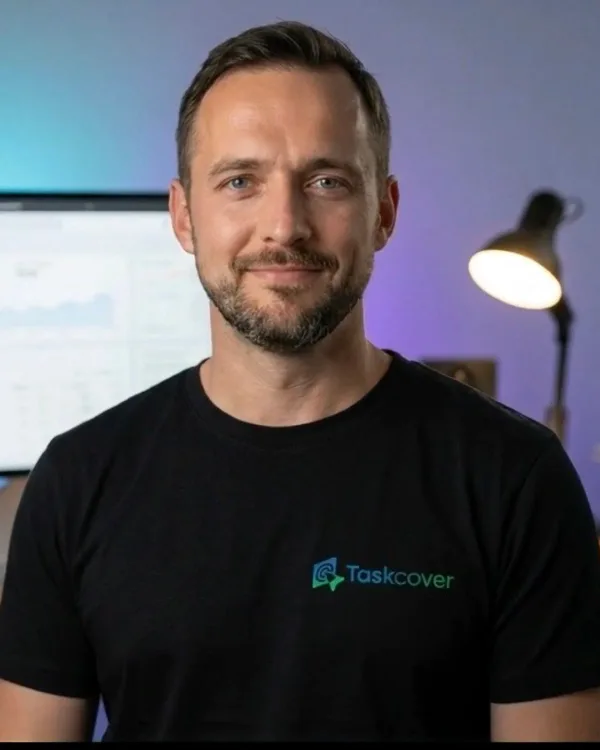
Reviewed by
John Edward
CTO
John Edward leads the technical side of Taskcover: how sites are built, how fast they load, and how search engines read them.
Updated Fact-checked About the people at Taskcover
Sources
Where the facts in this guide come from
Facts last checked on October 12, 2026.
- 1In-depth guide to how Google Search worksGoogle Search CentralChecked on October 12, 2026
- 2Search Engine Optimization (SEO) Starter GuideGoogle Search CentralChecked on October 12, 2026
- 3Creating helpful, reliable, people-first contentGoogle Search CentralChecked on October 12, 2026
- 4Get started with Search: a developer's guideGoogle Search CentralChecked on October 12, 2026
- 5About Search ConsoleGoogle Search Console HelpChecked on October 12, 2026
- 6Performance report (Search results): Overview and basic setupGoogle Search Console HelpChecked on October 12, 2026
- 7Google Search EssentialsGoogle Search CentralChecked on October 12, 2026
- 8Spam policies for Google web searchGoogle Search CentralChecked on October 12, 2026
- 9AI features and your websiteGoogle Search CentralChecked on October 12, 2026